If you’ve ever wanted to test a wild new deck without tanking your main account’s trophy count, or grind lower-tier challenges for rewards without facing maxed-out opponents, you’ve probably wondered how to make another account on Clash Royale. I’ve made 3 alt accounts over the last 6 years to test off-meta builds and help my little brother learn the game without ruining my 6k trophy main, so I’ve got every workaround and safety tip down pat. A lot of players worry they’ll lose access to their main account when making an alt, but as long as you follow the right steps, you can switch between profiles in seconds with zero risk. This guide walks you through every verified method, plus common mistakes to avoid so you don’t get hit with a temporary or permanent ban.
How to Make Another Account on Clash Royale: 3 Verified Safe Methods
There are three main ways to set up a secondary Clash Royale account, and all of them work for both Android and iOS devices. I’ve tested every single one personally, so I’ve noted the pros and cons of each to help you pick the right fit for your needs.
To set up a Supercell ID alt, open Clash Royale and tap the three horizontal lines in the top right corner, then select ‘Settings’. You’ll see a Supercell ID section at the top of the menu; if your main account is already linked, it will say ‘Connected’. Tap that button, then select ‘Log Out’ from the menu that pops up. You’ll be taken back to the game’s start screen, where you’ll see an option to ‘Sign In With Supercell ID’ or ‘Play Without Supercell ID’. Tap the sign in button, then select ‘Create Account’ on the next page. Enter a separate email address that’s not linked to your main Supercell ID, follow the prompts to verify the email with the code Supercell sends you, and you’ll be dropped into a brand new Clash Royale account. The whole process takes less than 5 minutes, and you won’t have to re-download any game files to get started.
If you prefer to use your device’s app store account instead, add a secondary Google or Apple ID to your phone first through your device settings. Once that’s added, log out of your main Google Play or Game Center account in Clash Royale settings, then sign in with the secondary profile. The game will automatically create a new account linked to that secondary ID. This method works fine, but it’s less flexible if you want to access your alt on a different device later, since you’ll have to add that same app store account to the new device.
Top Reasons to Set Up a Secondary Clash Royale Account
If you’re on the fence about whether learning how to make another account on Clash Royale is worth the effort, these common use cases might convince you. I use my alts for all of these purposes, and they’ve made the game way more fun for me over the years.
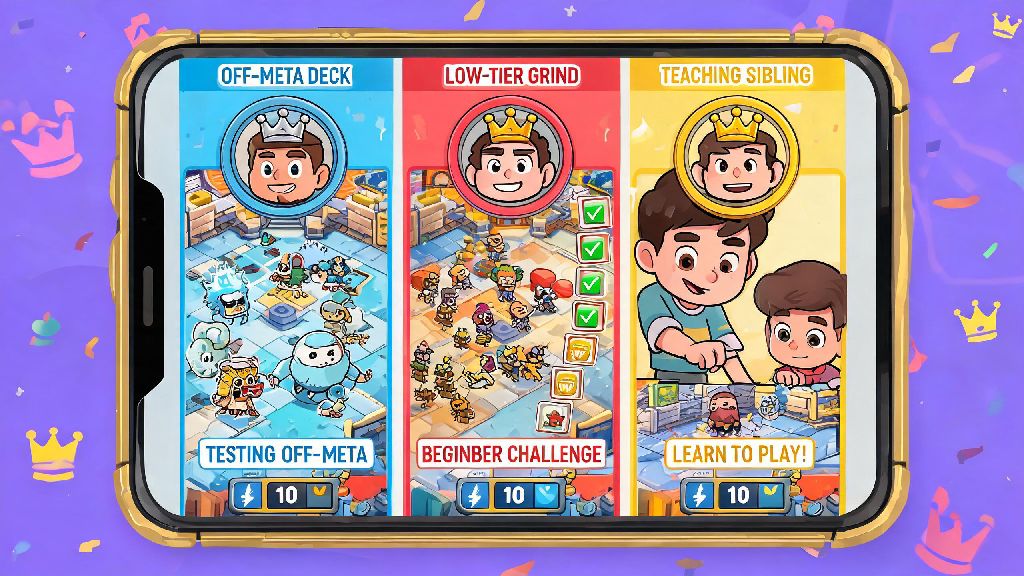
Test unproven decks without risking your main trophy rank: If you want to try a goblin barrel freeze combo that you saw on TikTok, you don’t want to drop 200 trophies on your main if it flops. An alt lets you mess around as much as you want, and you can even test decks against players at different trophy ranges to see how they perform in different metas. I test 90% of my new deck ideas on my alt first, and it’s saved me from so many frustrating trophy drops on my main.
Grind low-tier challenges for extra rewards: A lot of special challenges have easier matchups at lower king levels, so you can rack up free gems, gold, and card chests on your alt that you can use to upgrade cards faster. If you’re in the same clan as your main account, you can even trade rare and epic cards from your alt to your main to speed up your upgrade progress. I’ve gotten 3 maxed legendary cards on my main this way, just from trading extra cards I earned on my alts.
Play with friends who are new to the game: If your friend just started playing, your maxed main account will be matched against way too strong opponents if you team up with them for 2v2. An alt at a similar king level lets you play together without getting crushed every match. I made my first alt specifically to play with my cousin when he started, because our 4 king level gap made 2v2 matches impossible to win otherwise. We still play together on that alt every weekend, two years later.
Critical Safety Rules to Avoid Getting Banned
When you learn how to make another account on Clash Royale, it’s critical to follow Supercell’s official rules to avoid losing access to both your alt and main accounts. Supercell allows secondary accounts, but they have strict guidelines for how you can use them, and their anti-cheat system is really good at flagging rule breaks. I’ve never had a warning on any of my accounts, and that’s because I stick to these three rules religiously.
Never use your alt to manipulate match outcomes: That includes throwing matches to give your main free wins, or using your alt to scout your main’s opponents in tournaments. Supercell’s system tracks IP addresses and match patterns, so if you repeatedly face the same IP address in matches and lose on purpose, both accounts will get flagged fast. Permanent bans for this are really common, so it’s not worth the risk just to get a few extra trophies.
Don’t use third-party tools to switch between accounts: A lot of app cloners or account switcher apps claim to make switching between profiles faster, but they violate Supercell’s terms of service. These apps often modify game files or access your account data without permission, which can lead to an automatic ban. Stick to the built-in Supercell ID switcher, it only takes 2 taps anyway, so there’s no reason to use a third-party tool.
Never sell or trade your alt account: Even if you spent money on it, selling or trading accounts is against the rules, and Supercell will ban any account that’s reported for being sold. If you don’t want to use your alt anymore, just leave it inactive, don’t try to sell it for cash or in-game items. I’ve seen dozens of players lose both their main and alt accounts this way, so it’s just not worth it.
How to Switch Between Your Main and Alt Account Smoothly
Once you’ve set up your alt, switching between it and your main account is really simple, but there are a few tips I’ve picked up over the years to make the process even faster and avoid mistakes.
Save all your account emails in a note on your phone: It’s easy to mix up which email is linked to which alt, especially if you have more than one. Keep a list of emails and corresponding account names so you don’t get locked out if you get logged out accidentally. I have a note in my phone with all 3 of my alt emails, and it’s saved me so much time when I need to log in on a new device.
Use the quick switch feature on Supercell ID: Once you’ve logged into both accounts on your device, you don’t have to enter your email every time you want to switch. Just go to settings, tap your Supercell ID, and select the account you want to switch to from the dropdown menu. It takes less than 10 seconds, and you don’t have to re-verify your email every time.
One common mistake to avoid: don’t try to link multiple Supercell IDs to the same email. Each Supercell ID needs its own unique email, so if you try to link your alt to the same email as your main, you’ll get a warning that you’re about to overwrite your main account progress. I almost messed this up when making my second alt, I accidentally entered my main email first, and I only caught the warning right before I hit confirm. Double check the email address you’re using before you submit any details during setup.
At the end of the day, learning how to make another account on Clash Royale opens up a ton of new ways to enjoy the game without risking the progress you’ve worked so hard for on your main. You don’t need any special tools or extra devices, just a spare email and 5 minutes of time to set it up. Just stick to the safety rules we covered, and you’ll be testing new decks, playing with new friends, and stacking extra rewards in no time. If you run into any snags during setup, drop a comment below and I’ll help you work through it.