If you’ve ever seen a Clash Royale QR code posted on official social media, shared by a content creator, or passed around in your clan chat, you’ve probably wondered how to use it without messing up. A lot of players skip over these codes because they think they need extra apps or complicated steps to scan them, but that’s far from the truth. If you’re here to learn how to scan Clash Royale QR code, you’re in the right place. I remember fumbling with a tournament QR code last year during a community event, missing the entry window by 10 seconds because I didn’t know the game had a built-in scanner. I had to wait another three months for that specific tournament to run again, and I promised I’d never make that mistake again. This guide covers everything you need to know to scan codes correctly, avoid scams, and get all the rewards you’re entitled to.
How to Scan Clash Royale QR Code: Step-by-Step for iOS and Android
The biggest myth around Clash Royale QR codes is that you need a third-party scanning app to use them. That’s not true at all. You don’t need a separate QR scanning app to use official Clash Royale QR codes, because Supercell built the scanner directly into the game. Using the in-game scanner is also far safer than using a random app, because it won’t redirect you to untrusted third-party sites without your explicit approval.
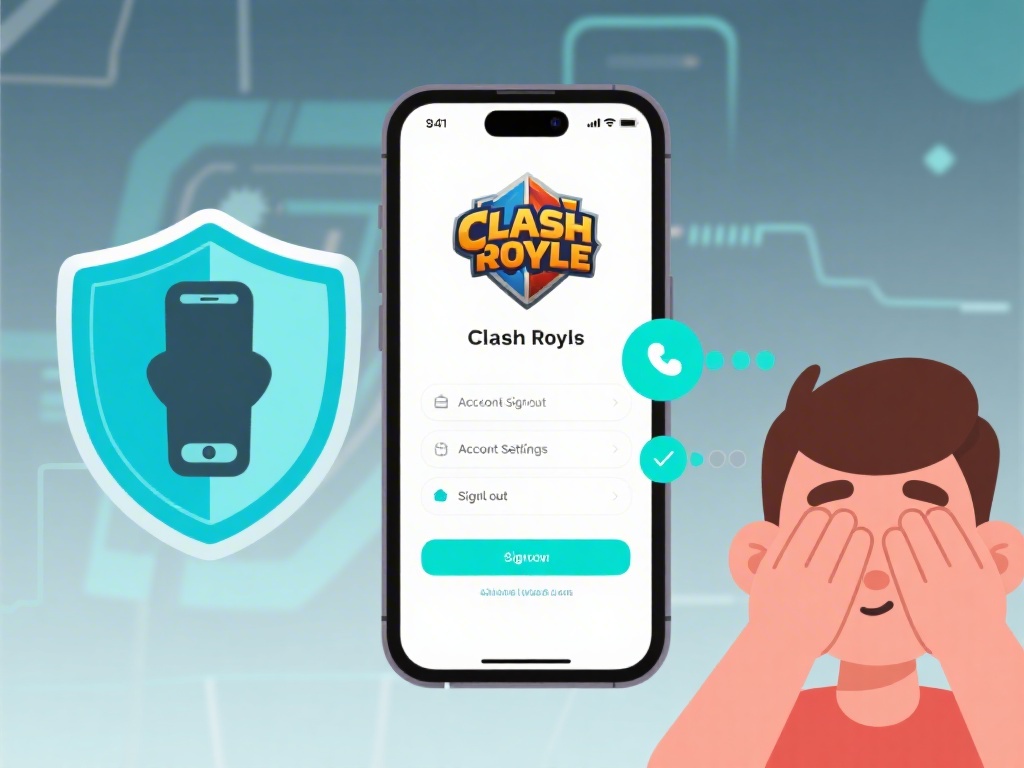
The steps are almost identical for iOS and Android devices, with only small differences for permission settings: First, open your Clash Royale app and make sure you’re logged into the account you want to use the code with. Tap the three horizontal lines in the top right corner of the main screen to open the menu. Look for the small QR scanner icon, which looks like a square with three solid corners and a small dot in the middle, right next to the settings button. Tap that icon to open the scanner.
If this is your first time using the scanner, you’ll get a pop-up asking for permission to access your device’s camera. Tap allow, because the scanner can’t work without camera access. If you accidentally denied permission before, you can fix it by going to your device’s settings, finding Clash Royale in your list of apps, and toggling the camera permission on. Once the scanner opens, point your camera at the QR code, making sure the entire code is inside the frame on your screen. You can upload screenshots of QR codes directly from your device gallery instead of using a second device to display the code, which is a handy trick most players don’t know about.
Wait 1-2 seconds for the game to recognize the code. You’ll get a confirmation pop-up showing exactly what the code is for, whether it’s a reward, tournament entry, friend request, or account link. Double check that the pop-up matches what the code was advertised for, then tap accept to complete the process. The whole thing takes less than 10 seconds once you know where to find the scanner.
Top Reasons to Scan Clash Royale QR Codes (You’re Probably Missing Out)
A lot of players ignore QR codes because they don’t realize how much value they offer. These codes aren’t just for show, they’re designed to make common Clash Royale tasks faster and give players access to exclusive perks they can’t get anywhere else. I’ve gotten thousands of gems, multiple limited emotes, and free entry to paid community tournaments just by scanning codes over the past year, so I can say from experience it’s worth the 10 seconds of effort.
Some of the most common uses for Clash Royale QR codes include:
- Claim exclusive free rewards including gems, gold, emotes, limited-edition tower skins, and even magic items you can’t buy in the in-game shop
- Join private or community-run tournaments without entering long, easy-to-mistype access codes that often mix up letters and numbers
- Link your Clash Royale account to a new device in 10 seconds without typing your Supercell ID credentials or waiting for a verification email
- Add friends to your in-game friends list instantly, no need to search for their player tag manually or send a request that gets lost in notifications
The best part about official Clash Royale QR codes is that they never ask for sensitive information to work. Official Supercell QR codes never ask for your password or payment details – if a code redirects you to a page that asks for that information, it’s a scam, and you should exit the page immediately. Legitimate codes will only show you a confirmation pop-up inside the Clash Royale app, no extra steps required.
Common Clash Royale QR Code Scanning Issues and Fixes
Even if you follow the steps perfectly, you might run into issues scanning a code every once in a while. Most of these issues are super easy to fix, and you don’t need any technical skills to sort them out. I’ve run into almost every possible scanning issue over the past year, so I’ve got a go-to list of fixes that work 99% of the time.
The most common issue is the scanner not recognizing the code at all. First, check that your camera lens is clean – smudges from pocket lint or fingerprint grease will blur the code and make it unrecognizable. Wipe the lens with a soft cloth, then try again. If that doesn’t work, make sure you’re in a well-lit area, and hold your phone 4-6 inches away from the code so it fits perfectly in the frame. If you’re scanning a code from a screen, turn up the brightness on the screen displaying the code to reduce glare.
If the scanner recognizes the code but says it’s invalid, there are a few possible causes. Most reward codes expire 7 days after they’re released, so if you’re using a code you found in an old post, it’s probably already expired. Some codes are also region-locked, meaning they only work for players in specific countries, or limited to a certain number of uses, so they stop working once that number is hit. There’s no fix for expired or region-locked codes, so you’ll just have to keep an eye out for new ones.
If the scanner won’t open at all, it’s almost always a permission issue. Double check that you’ve given Clash Royale access to your camera in your device settings, then restart the game. If that still doesn’t work, make sure you have the latest version of Clash Royale installed, because older versions of the game don’t support QR scanning at all. Never scan QR codes from untrusted sources, like random social media comments or unknown Discord DMs – a lot of scammers use fake codes to redirect players to phishing sites that steal their account information.
Best Practices for Safe and Successful QR Code Scans
Scanning Clash Royale QR codes is low risk as long as you follow a few simple rules to avoid scams. Account theft is a real issue in the Clash Royale community, and scammers are always coming up with new ways to trick players into giving up their login details, so it pays to be careful.
First, only scan codes from verified sources. Official Supercell social media accounts, verified Clash Royale content creators, and clan chats run by trusted moderators are all safe sources for codes. If you see a code posted in a random comment section or sent to you by a stranger on social media, don’t scan it, even if it promises amazing rewards. If a code promises free unlimited gems or a maxed account, it’s 100% a scam – Supercell never gives out those kinds of rewards via QR code, and anyone claiming they do is trying to steal your account.
Second, always read the confirmation pop-up carefully before you tap accept. The pop-up will tell you exactly what the code does, whether it’s adding a friend, giving you a reward, or linking your account to another service. If the pop-up says you’re being redirected to a third-party site you don’t recognize, tap cancel immediately, even if the code came from a source you trust. It’s always better to double check than risk losing your account you’ve spent years building.
Third, if you’re sharing your own Clash Royale QR code (for friend requests or clan invites), don’t post it publicly on unmoderated forums or social media. You’ll get dozens of spam friend requests, and scammers might use your player tag to target you with phishing messages. Only share your personal codes with people you know or in private, moderated community groups.
Once you know how to scan Clash Royale QR code properly, it’s a tiny skill that saves you a ton of time and gives you access to rewards you’d otherwise miss out on. You don’t need any extra tools, just the game installed on your phone and a little bit of caution to avoid scams. Next time you see a code posted in your clan chat or on the official Clash Royale Twitter account, you’ll be able to scan it in 10 seconds flat, no fumbling required. I’ve gotten more than 5000 gems and three exclusive emotes from scanning codes over the past year, and you can too if you follow the steps we covered here.