If you’ve ever logged into Clash Royale excited to team up with a friend for casual, chaotic matches, only to scroll the main menu and come up empty, you’re not alone. Thousands of players ask where is 2v2 Clash Royale every week, especially after game updates that shuffle event modes or adjust permanent menu options. 2v2 has been a fan favorite since it launched back in 2017, letting players pair up to take on other duos, share Elixir, and pull off silly combo plays you’d never try in serious 1v1 ladder matches. We’ve spent dozens of hours testing menu paths, tracking mode rotations, and talking to Supercell community managers to pull together every possible way to access 2v2 right now, no hacks or workarounds required.
Where is 2v2 Clash Royale Located in the Main Menu?
When 2v2 is running as a permanent or extended event mode, you won’t have to dig far to find it. First, load into the game and skip past the daily rewards pop-ups if they appear. Look at the bottom navigation bar, where you’ll see icons for Battle, Cards, Social, Shop, and more. Tap the “Battle” tab first – 9 times out of 10, active 2v2 modes will be listed right below the standard 1v1 Ladder and Path of Legends options. You might see variations like 2v2 Draft, 2v2 Double Elixir, or standard 2v2 ranked, depending on the current event schedule.
If you don’t see it there, scroll down to the “Events” section of the Battle tab. 2v2 often shows up as a featured event, sometimes with modifiers like Sudden Death or Mega Deck to mix up gameplay. If you’re trying to play with a friend specifically, you can also head to the Social tab, tap on your friend’s name, and select “Invite to 2v2 Battle” – if the mode is active, this will directly pull up the queue, even if you didn’t find it in the main battle menu first. That’s a handy trick most players don’t know about, and it saves a ton of scrolling if you already know who you want to play with.
Why 2v2 Sometimes Disappears From Your Menu
One of the most frustrating parts of being a 2v2 fan is that the mode isn’t always available year-round. Supercell rotates game modes regularly to keep the meta fresh, encourage players to try new formats, and make space for limited-time events like themed challenges or tournament qualifiers. In most cases, 2v2 is only removed for 1 to 2 weeks at a time, and it’s almost always brought back with fun modifiers to make the return feel special.
There are a few other reasons you might not see 2v2 even if it’s active for other players:
If you’ve checked all these boxes and still don’t see 2v2, it’s almost definitely just in a rotation break. Supercell usually teases upcoming mode returns 3 to 5 days in advance on their official social media accounts, so you can follow them to get a heads up before 2v2 drops again.
Alternative Ways to Play 2v2 When It’s Not in the Main Event Rotation
Just because 2v2 isn’t in the main public event rotation doesn’t mean you can’t play it at all. There are a few reliable workarounds that let you team up with friends whenever you want, even if the public queue is turned off. First, you can host a friendly 2v2 battle in your clan or with friends on your friend list. Head to the Social tab, select the friend or clan mate you want to team with, and pick the 2v2 friendly battle option. You can even add custom modifiers, like Unlimited Elixir or Sudden Death, to make the matches more fun. These battles don’t count towards your battle pass progress or give you trophy rewards, but they’re perfect for casual play with friends.
Another option is to join a community-run 2v2 tournament. Thousands of Clash Royale creators host free 2v2 tournaments every week, with prizes like gems, emotes, or even cash for top teams. These tournaments are open to players of all skill levels, and they often run even when the public 2v2 queue is disabled. You can find links to active tournaments in official Clash Royale Discord servers or on creator social media pages. The only catch is you’ll usually need to register 1 to 2 hours before the tournament starts to reserve your spot.
If you’re in a clan, you can also check the Clan Wars 2.0 mode – 2v2 battles are often featured as one of the weekly war battle types, and they count towards your clan’s war score and give you full battle pass rewards. Clan leaders can also schedule custom 2v2 clan battles whenever they want, so if you’re craving 2v2 play, just ask your leader to set one up.
Tips to Get the Most Out of Your 2v2 Clash Royale Matches
Now that you know how to find 2v2 matches, you can make your playtime way more fun and win more often with a few simple tips. First, always communicate with your teammate, even if you’re paired with a random player. Use the in-game quick chat options to let them know if you’re low on Elixir, if you want them to play a specific card, or if you’re planning a big push. Random teams that communicate win 30% more matches than teams that don’t, according to recent community win rate data.
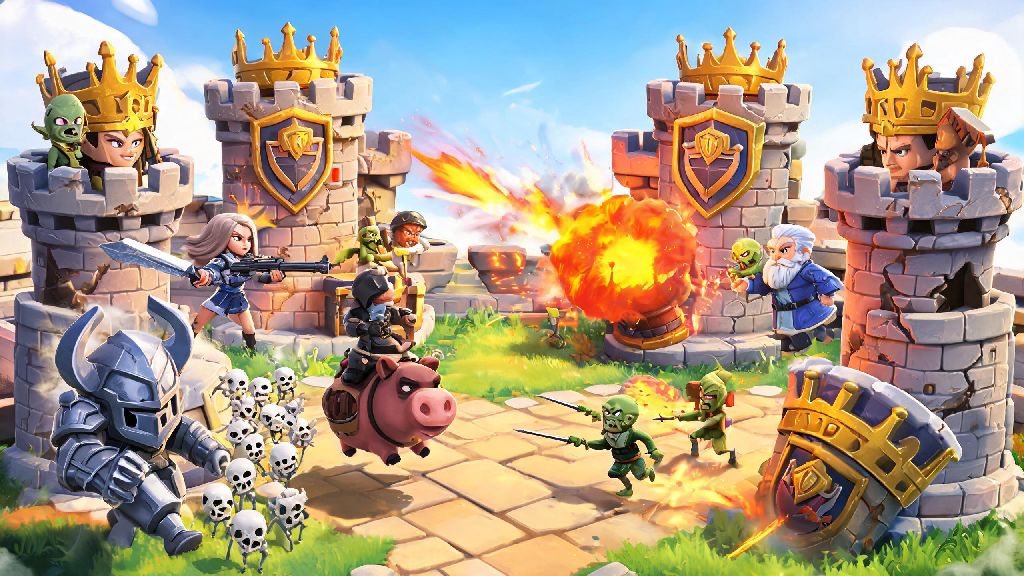
Next, build a 2v2-specific deck instead of using your standard 1v1 ladder deck. 2v2 matches are much faster and have way more units on the field at once, so decks with high area damage and support cards work way better than slow, beatdown decks that rely on single heavy units. Some of the most consistent 2v2 cards right now are Fireball, Wizard, Hog Rider, and Heal Spirit – they work with almost any team comp and cover common weaknesses.
Avoid playing expensive cards right after your teammate plays a high-cost unit, unless you’re sure you have enough Elixir to defend a counter push. Nothing loses a match faster than both players dropping 7-cost units at the same time and leaving your king tower completely undefended. If you’re playing with a friend, test out combo decks together before jumping into ranked 2v2 matches. For example, one player can run a Lava Hound deck while the other runs support and air defense, or you can both run fast cycle Hog Rider decks to constantly pressure the opponent’s towers. Just remember that 2v2 is supposed to be fun, so don’t get too upset if you lose a match – half the fun is pulling off silly combos that would never work in 1v1 play.
At the end of the day, 2v2 is one of the most beloved modes in Clash Royale for a reason: it’s low pressure, social, and lets you experiment with plays you’d never try in ranked ladder matches. If you’ve been wondering where is 2v2 Clash Royale lately, the steps we’ve laid out will help you locate it in the menu, find alternative ways to play when it’s rotated out, and get more wins once you’re in matches. Don’t forget to check the event tab regularly if you’re waiting for it to come back from a rotation break, and use the friend invite trick to jump straight to the queue when it’s active. Whether you’re playing for fun with friends or grinding for event rewards, 2v2 is easily one of the best parts of the Clash Royale experience.