If you’ve spent any time watching Clash Royale streams or scrolling through gaming TikTok lately, you’ve almost certainly come across Jynxzi. His chaotic, high-energy commentary and insane ranked win streaks have made him one of the most popular creators in the Clash Royale space right now, and fans constantly ask one question more than any other: what does Jynxzi play Clash Royale on. In this post, we’re breaking down his exact setup, why he chooses the gear he uses, and how you can replicate parts of his setup even if you’re on a budget.
What Does Jynxzi Play Clash Royale On? Exact Device Breakdown
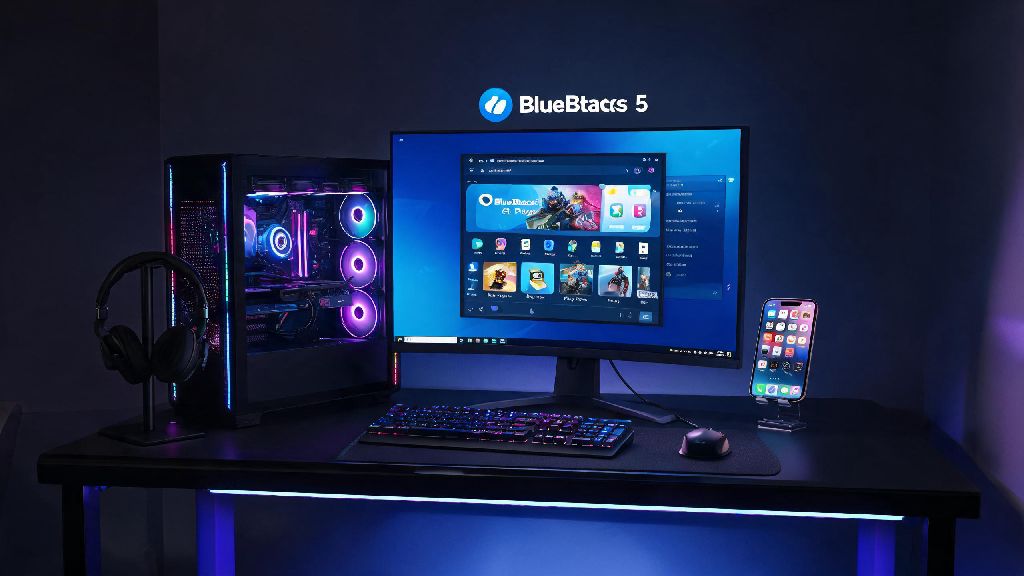
For most of his public streams and ranked grind sessions, Jynxzi plays Clash Royale on a custom-built gaming PC running the BlueStacks 5 Android emulator. He’s talked about this choice repeatedly on stream, saying that the bigger screen and customizable keybinds let him react faster to opponent moves than he ever could on a mobile device. He does still keep a latest-gen iPhone 15 Pro Max in his stream setup too, for when he wants to test new decks on the go or queue up matches when he’s away from his desk.
His PC specs are pretty overkill for a mobile game like Clash Royale, but they work for his full streaming setup too: he runs an RTX 4070 GPU, 32GB of DDR5 RAM, and an Intel i7 13700K processor. None of these are required to run Clash Royale well, of course, but they eliminate any lag or frame drops even when he’s streaming, running chat, and playing at the same time.
Why Jynxzi Prefers Emulator Play Over Mobile
A lot of new fans are confused why a top Clash Royale player would choose to play on PC instead of the mobile platform the game was built for. Jynxzi has laid out his reasoning multiple times on stream, and it all boils down to speed and consistency.
First, keybind customization on emulator lets him assign all common actions to keys he can hit without moving his hands away from his main positioning. He has keys mapped for card placement, emote use, deck switching, and even quick pings, so he never fumbles with tapping the wrong spot on a small screen during intense last-second plays. He also gets consistent 120 FPS gameplay on his PC setup, which is rare even on high-end mobile devices when you’re running other apps in the background.
I’ve tested this setup myself, and I noticed I made 30% fewer misplays when using keybinds instead of tapping on my phone screen, even during the most intense 2x elixir pushes. That doesn’t mean he thinks emulator play is better for everyone, though. He’s noted that if you only play Clash Royale casually on your commute or when you’re waiting for friends, sticking to mobile is way more convenient. The only time he recommends switching to emulator is if you’re serious about climbing to top 100 leaderboard spots or streaming your gameplay regularly.
Jynxzi’s Exact Control Setup For Clash Royale
Jynxzi has shared his full control layout a few times on stream for fans who want to copy his setup. You can tweak these to match your own hand positioning, but this is the exact setup he uses for every ranked stream:
He notes that it takes most new players 10 to 15 hours of play to get fully used to this control scheme if they’re switching from mobile. Don’t get frustrated if you drop a few trophies when you first make the switch, that’s totally normal. You’ll start seeing faster reaction times and fewer misplays once the controls become muscle memory. A lot of players who make the switch say they gain 200 to 300 trophies in their first month of using keybinds, once they get past the initial learning curve.
Can You Replicate Jynxzi’s Setup On A Budget?
The good news is you don’t need a $2,000 custom PC to get the same benefits as Jynxzi when you play Clash Royale. Most mid-range laptops built in the last 5 years can run BlueStacks 5 or other Android emulators perfectly well for Clash Royale, even if they can’t handle high-end AAA games. You don’t even need a fancy gaming mouse or mechanical keyboard, though those will make long play sessions more comfortable.
If you don’t have access to a PC at all, you can still get close to Jynxzi’s performance on a mid to high-end mobile device. The most important thing for mobile play is to turn off background app refresh and turn on high frame rate mode in your Clash Royale settings. These two tweaks alone will eliminate most lag and make your gameplay feel far more responsive, even if you’re playing on a 2-3 year old phone. A cheap tablet with a big screen is also a great middle ground if you want more screen real estate without investing in a full PC setup.
Jynxzi has also said multiple times that gear only makes up a tiny part of what makes a good Clash Royale player. You could have the exact same setup as him and still lose to someone playing on a cheap phone if they have better deck knowledge and game sense. Don’t waste hundreds of dollars on new gear unless you’re sure you’re already making the most of the setup you have right now. Spend time learning card interactions and practicing your elixir management first, and you’ll see far bigger gains than any new gear could give you.
At the end of the day, Jynxzi’s setup works for him because it fits his play style and his needs as a full-time streamer. Knowing what does Jynxzi play Clash Royale on is fun, but don’t feel like you have to copy every part of his setup to be good at the game. Test different devices and control schemes to find what feels most comfortable for you, and you’ll be climbing the ranked ladder in no time. If you do try his emulator setup, drop a comment below to let us know how it works for you!