We’ve all been there. You’ve spent months grinding Clash Royale, only to realize you wasted 100k gold leveling up cards you never use, your core deck is 2 levels under the average for your arena, and you can’t climb past Arena 8 no matter how many matches you play. If that sounds familiar, you’ve probably wondered how to restart on Clash Royale to get a clean slate. Restarting isn’t for everyone, but if you do it right, you can build a way stronger account way faster than you did the first time around.
When You Should (and Shouldn’t) Restart on Clash Royale
Before you wipe your account, take a minute to make sure restarting is actually the right call. There are plenty of cases where fixing your current account is faster and easier than starting over, especially if you’ve spent real money on skins, battle passes, or gems. You don’t have to restart to fix minor progression mistakes, like wasting a few thousand gold on a bad card or missing a couple battle pass rewards. But if you’re facing any of these issues, a fresh start might be worth it: you’ve spent almost all your gold on non-meta cards you never play, you have 0 high-level meta cards in your collection, you’re stuck in a rank 3+ arenas below where your skill level should be, or you regret big purchase choices like spending thousands of gems on cosmetic items that don’t help your progression. That said, if you have a collection of limited edition skins or paid battle pass rewards you don’t want to lose, hold off on restarting. You can always rework your current account by focusing on one meta deck, grinding challenges for extra gold, and saving gems for future battle passes instead of chests.
Step-by-Step Process to Restart Your Clash Royale Account Safely
Supercell doesn’t have a one-click “reset account” button, for good reason: they don’t want people wiping their accounts by accident. Restarting is pretty simple, but you have to follow the steps carefully to make sure you don’t lose access to your old account permanently if you change your mind later. First, no matter what device you use, always link your old account to a Supercell ID first before restarting. This is non-negotiable. If you skip this step, you’ll never be able to get your old account back if you regret resetting. The process differs a little depending on your device: for iOS users, sign out of your current Game Center account, create a new Apple ID for your fresh account, then open Clash Royale and the game will automatically start you on a new save. For Android users, go to your device settings, find the Clash Royale app, clear all app data, then sign out of your current Google Play account, sign into a new one, and open the game to start fresh. Before you hit that final button to start your new account, run through this quick pre-restart checklist to avoid mistakes:
Tips to Build a Stronger Account After You Restart on Clash Royale
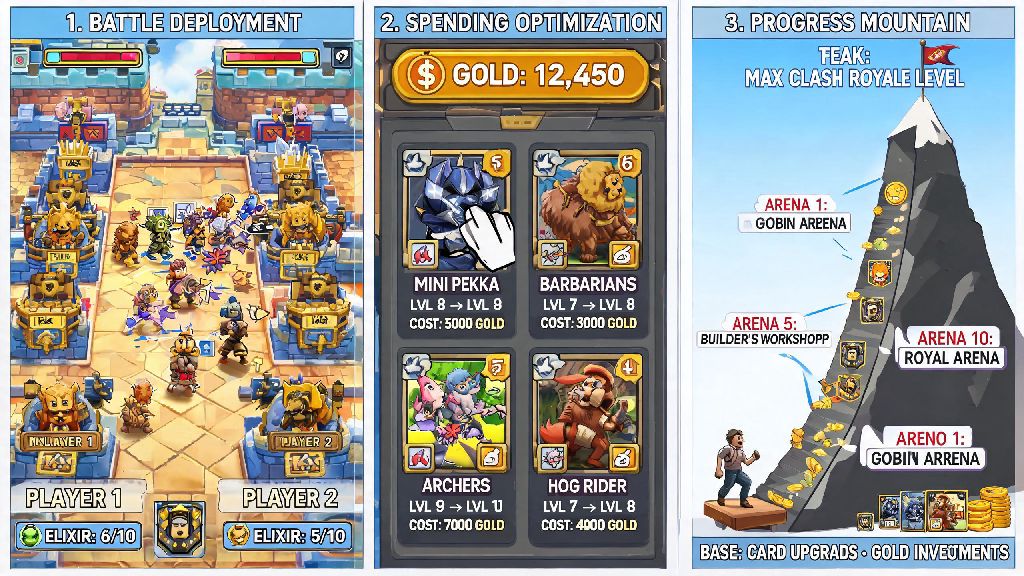
The best part of restarting is that you get to avoid all the dumb mistakes you made on your first account. I restarted my own account 3 years ago after wasting 2000 gems on a giant magical chest that gave me nothing but useless common cards, and I climbed from Arena 1 to Arena 12 in less than 3 weeks on my fresh account, which took me 8 months the first time around. The biggest difference was that I knew what to prioritize this time. First, focus on leveling 1-2 meta decks only for your first 6 arenas. Don’t make the mistake of upgrading every new card you unlock, even if it looks cool. Spreading your gold across 10 different cards will leave all of them underleveled, and you’ll get crushed by players who focused on one core deck. For lower arenas, cheap cycle decks like Hog Rider 2.6 or Miner Wall Breakers are perfect: they’re easy to learn, use mostly common and rare cards that are easy to get, and let you climb fast even with lower card levels. Next, save your gems for the paid battle pass, not chest openings or cosmetic items. The battle pass gives you 10x more value per gem than any chest you can buy from the shop, including guaranteed wild cards, gold, and exclusive cards you can’t get anywhere else for free. I saved all my gems on my restarted account, bought the first 3 battle passes, and had my core deck maxed 2 months earlier than I did on my first account. You should also join an active clan as soon as you unlock Arena 3. Clans give you free card requests every 8 hours, clan war rewards that include thousands of gold and rare cards, and access to more experienced players who can give you deck tips and match up advice. Even a mid-tier active clan will cut your progression time in half compared to playing solo.
Common Mistakes to Avoid After Restarting Your Clash Royale Account
Even if you know what you’re doing, it’s easy to fall back into old bad habits when you’re excited about a fresh account. I’ve seen dozens of players restart, then make the same mistakes they did on their first account and end up stuck again a month later. The biggest mistake people make is rushing to push arenas as fast as possible, without leveling their core deck first. You might unlock a bunch of cool new cards by getting to Arena 10 fast, but if your core deck is 2 levels under the average for that arena, you’ll get crushed every match and won’t be able to grind for the cards you just unlocked. Make sure your core deck cards are at least 1 level above the average for your current arena before pushing to the next one. This will save you weeks of frustration later. Another common mistake is ignoring free challenges. Even if you’re new to the game, you can get thousands of gold and dozens of free cards from daily and weekly challenges, even if you don’t win all your matches. A lot of new restarted players skip challenges because they’re scared of losing, but even 2 wins in a 10-win challenge give you more rewards than playing 10 regular ladder matches. Don’t waste star points on cosmetic card skins or tower skins until your core deck is fully maxed, either. Star points don’t affect gameplay, but they’re only available once you hit level 13, so you’re better off saving them for your main deck cards once they’re maxed, instead of wasting them on cards you never play. You should also never quit a clan war early just because you lost your first match. Even if your clan doesn’t win the war, you still get gold and card rewards for every match you play, and those rewards add up fast over time.
At the end of the day, learning how to restart on Clash Royale is a great choice if you’ve dug yourself into a progression hole you can’t get out of on your old account. Just make sure you take the time to back up your old account first, so you don’t lose anything you care about permanently. If you follow the tips we covered and avoid the common mistakes, your new account will be stronger, climb faster, and be way more fun to play than your old one ever was. There’s no shame in hitting reset if it means you’ll get more enjoyment out of the game, after all.