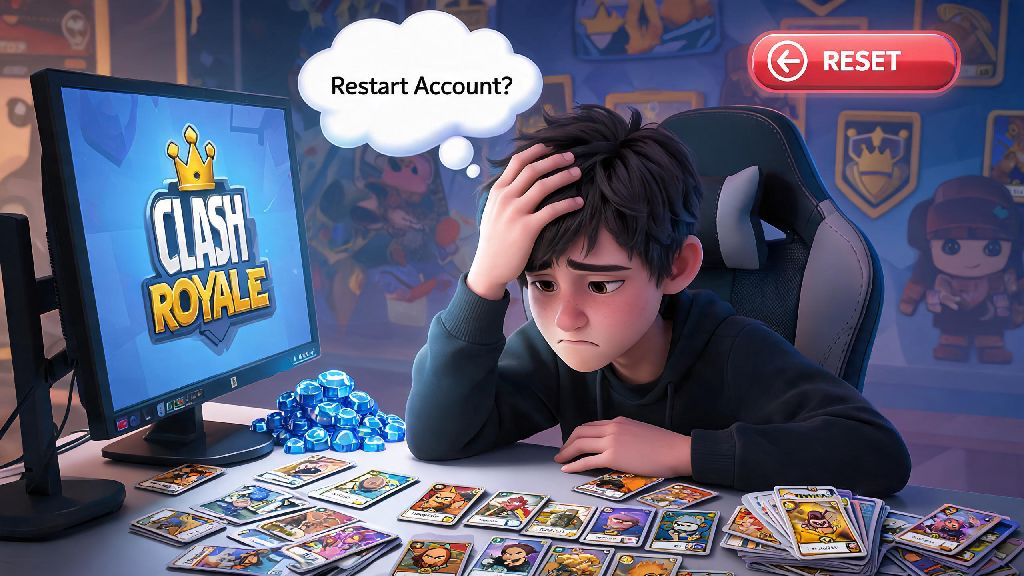
If you’ve ever felt stuck with a brutal trophy losing streak, misspent thousands of gems on low-value chests, or just want to experience the early game fun again after years of playing, you’ve probably wondered how to restart Clash Royale account. I’ve been there too: back when I first picked up the game, I wasted 2,000 gems on a random magical chest that gave me zero useful epic cards, and I spent months regretting that call before I finally hit reset. There’s no shame in wanting a do-over, but you have to do it the right way to avoid losing purchases, getting locked out of your Supercell ID, or making a mistake you can’t reverse. This guide walks you through every step, plus all the little details most players miss before committing to a reset.
Key Pre-Checks Before You Learn How to Restart Clash Royale Account
Jumping straight to resetting without doing these checks will almost always lead to regret, so don’t skip this part. First, link all current purchases and progress to your Supercell ID first if you haven’t already. This ensures your old account is saved separately, and you can switch back to it whenever you want, no questions asked. I’ve had friends skip this step, delete the app, and lose 3 years of progress permanently because they never set up an ID.
Next, write down any active friend codes or clan invites you want to keep before logging out. Once you reset, your friends list will be wiped entirely, and you won’t be able to recover old clan invites unless you have the code saved. It’s also a good idea to let your current clan know you’re resetting if you plan to rejoin them on your new account later.
Finally, confirm you don’t have any ongoing event rewards or battle pass progress unclaimed. Any unclaimed rewards will be lost permanently when you log out of your old account, so take 2 minutes to collect everything before you move forward. If you have an active battle pass, you’ll only be able to use those rewards on your old account, so keep that in mind if you paid for the current season pass.
Step-by-Step Process to Restart Your Clash Royale Account on iOS and Android
The process works almost identically across both operating systems, as long as you’re using Supercell ID to manage your accounts. If you’re not using Supercell ID, we’ve noted the small differences for iOS and Android later in this section. Follow these exact steps to avoid running into issues with cached account data:
For iOS users who don’t use Supercell ID, don’t just delete the app normally. iCloud often backs up Clash Royale account data automatically, so you’ll need to go to your iPhone Storage settings, find Clash Royale, and tap "Offload App" to clear all cached data before reinstalling. For Android users linked to Google Play Games, log out of your Google Play account in your device settings before reopening the game, otherwise it will automatically pull your old account data when you launch the app.
Never use the same email for two Clash Royale accounts, even if you deleted the old one. Supercell’s system flags duplicate emails as suspicious, and you could lose access to both accounts permanently. It takes 2 minutes to make a new free email address, and it saves you a huge headache later.
Common Mistakes to Avoid When Restarting Your Clash Royale Account
One of the most common mistakes I see is players deleting their entire Supercell ID account thinking it’s required for a reset. That’s completely unnecessary, and it will delete all progress for every Supercell game linked to that ID, including Brawl Stars, Clash of Clans, and Hay Day. You only need to log out of your ID on your Clash Royale app, not delete the ID entirely.
Another mistake is skipping the step to link your new account to a Supercell ID right after finishing the tutorial. If you lose your device or accidentally delete the app before linking, you’ll lose all progress on your new account, and Supercell support can’t help you recover it. I’ve made this mistake myself on a secondary account, and I lost 2 months of progression because I forgot to link it.
You don’t need to root or jailbreak your device to restart your account, no matter what random forum posts tell you. Any method that requires modifying your device will get your account banned permanently, and there’s no way to reverse that ban. The steps we listed above are 100% allowed by Supercell, so you don’t need to risk a ban to get a fresh start.
Many players also assume they can transfer purchases from their old account to their new one, but that’s not possible. All gem purchases, battle pass access, and exclusive skins are tied to the Supercell ID they were bought on, so you can’t move them to a new account. Only reset if you’re okay with leaving those purchases on your old account.
Is Restarting Your Clash Royale Account the Right Choice for You?
Before you go through with a reset, it’s worth weighing the pros and cons to make sure it’s the right call for your situation. The biggest upside is that you get access to all the new beginner rewards that have been added to the game since you first started playing. Recent updates give new players way more free gems, rare cards, and progression boosts than were available even two years ago, so you can build a strong deck much faster than you did the first time around.
You also get to build your strategy from scratch, without the mistakes you made when you were a new player. A lot of long-time players waste resources upgrading low-value cards early on, and resetting lets you prioritize meta cards first, so you can climb trophies much faster than you did on your first account. Lower trophy lobbies are also a lot more fun for casual play, since you don’t have to face maxed out decks with level 15 cards every other match.
That said, there are downsides to consider. You’ll lose all your old clan rank, exclusive event badges, and maxed card levels on your new account, and you’ll have to redo all the progression milestones again. If you’re only resetting because you’re on a losing streak, wait 24 hours first before making a decision. Most losing streaks end after a short break, and you won’t have to redo months of progress for a temporary slump.
If you’re not sure you want to abandon your old account entirely, you can always make a secondary account instead of resetting. You can switch between your main and secondary account as much as you want by logging out of your Supercell ID, so you get the best of both worlds. I keep my old maxed account for clan wars, and my secondary account for casual play when I don’t want to deal with high-pressure matches.
At the end of the day, choosing how to restart Clash Royale account is a personal call, and there’s no right or wrong answer as long as you do it safely. Take the time to run through the pre-checks first, follow the step-by-step process, and avoid the common mistakes we covered, and you’ll have your fresh account up and running in 10 minutes or less. If you’re still on the fence, try making a secondary account first before you decide to abandon your old one entirely, so you can test out the early game again without losing anything. I’ve done two resets over the last 6 years, and both times I had a blast rebuilding my collection and trying new strategies I never would have used on my main account. Just remember to link every new account you make to a unique Supercell ID, and you’ll never have to worry about losing progress again.