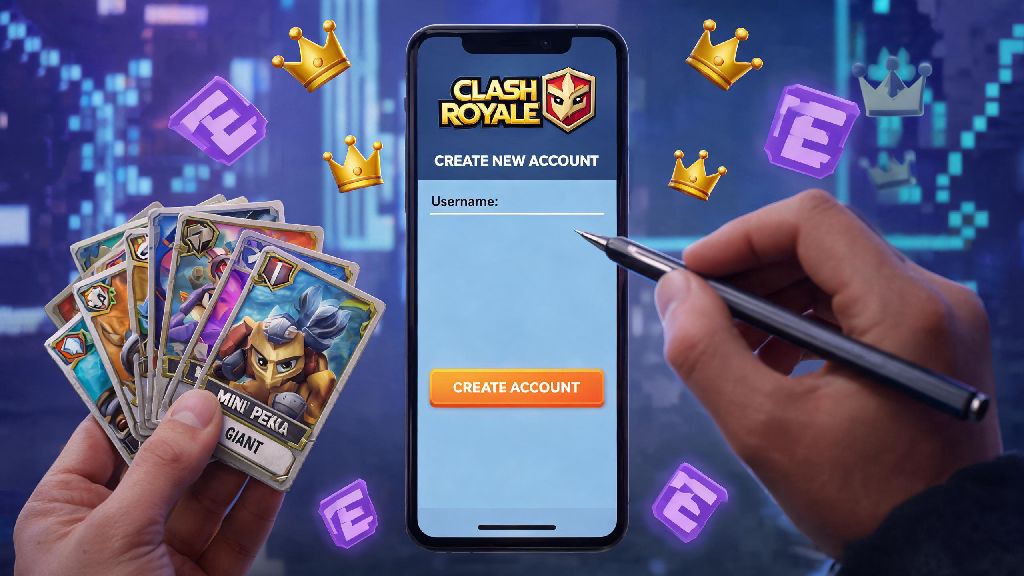
If you’ve ever gotten stuck with a messy deck collection, missed early progression bonuses, or just want to start fresh with a new playstyle, you’ve probably wondered how to reset account on Clash Royale. Lots of players choose to reset for all kinds of reasons, from wanting to try a new F2P strategy without wasting old resources to fixing a bugged account that won’t load correctly. But resetting isn’t as straightforward as deleting the app and redownloading, especially if you have a Supercell ID linked. Get this wrong, and you could lose access to years of progress, purchased skins, and saved clan memberships by accident. We’ve put together this guide based on years of playing and helping hundreds of clan members reset their accounts safely, so you don’t run into avoidable issues.
How to Reset Account on Clash Royale: Full Step-by-Step Process
The exact reset process changes slightly depending on whether you have a Supercell ID linked to your account, or just use local device storage or your phone’s gaming service to save progress. Back up your original account first if you want to keep it before you start any reset steps, to avoid accidental data loss. If you want to fully wipe your old account and start over, follow these steps exactly:
If you’re on iOS, you might need to sign out of your Game Center account too, to prevent the old account from reloading automatically. Never use the same email for your new Supercell ID as your old one, because Supercell will automatically pull your old account data instead of letting you start fresh. I’ve seen clan members make this mistake three times before realizing they just needed to use a separate email for the new account.
Common Reasons to Reset Your Clash Royale Account (And When You Shouldn’t)
Resetting your account is a big choice, so it’s worth making sure you’re doing it for the right reasons before you go through the effort. The most common valid reasons to reset include being a new player who messed up early progression by spending gold on useless cards you never use, wanting to try a strict F2P run without paid purchases skewing your progression path, or having a bugged account with constant crashes, missing cards, or unaddressed support issues that Supercell hasn’t fixed after multiple tickets.
There are also plenty of times you shouldn’t reset, even if you’re frustrated with your current progress. If you have paid skins, tower cosmetics, or exclusive event rewards that you don’t want to lose, resetting will make those permanently inaccessible unless you keep your old account linked. Also, if you’re in a clan you love, or have a high trophy count that you spent months building, resetting means you’ll have to climb all the way back from Arena 1 again. I once reset an account that had a rare Princess emote from an old anniversary event, and I still regret it to this day, so make sure you weigh the pros and cons before you hit delete.
Troubleshooting Common Reset Issues
Even if you follow all the steps perfectly, you might run into a few snags during the reset process. The most common issue is your old account loading back up even after you log out of Supercell ID. That usually happens because your Game Center (iOS) or Google Play Games (Android) account is still linked to the old account. To fix that, just sign out of your gaming service account in your phone’s settings before reopening Clash Royale.
Another common problem is not being able to delete your old account permanently. Supercell requires you to verify your identity with the email linked to your Supercell ID, so make sure you have access to that inbox before you submit a delete request. Account deletion requests take up to 30 days to process, so you’ll have a window to cancel if you change your mind at any point. If you’re getting an error that says "account already linked" when you try to connect your new Supercell ID, double check that you’re not using an email that’s already associated with an existing Clash Royale, Clash of Clans, or Brawl Stars account. Supercell links all its game accounts to one ID per email, so you’ll need a unique email for each separate account you make.
Post-Reset Tips for Your New Clash Royale Account
Once you’ve successfully reset your account, you don’t have to make the same mistakes you did on your first run. First, focus on upgrading a small core of 8-10 cards first, instead of spreading your gold across every card you unlock. That will let you climb arenas much faster, and you won’t waste resources on cards you’ll never use in your main deck.
Join an active clan as soon as you unlock Arena 3, because clan donations will give you free cards, gold, and extra battle bonuses that speed up progression by 30% or more. If you’re doing a F2P run, avoid spending gems on chests entirely: save them for the season pass, special event offers, and tower skins that you actually want. I’ve reset three accounts over the years to test different F2P strategies, and the ones that climb the fastest always prioritize clan participation and focused card upgrades over random chest opens. Also, make sure you link your new account to a Supercell ID as soon as you can, so you don’t lose your new progress if you lose your phone or delete the app by accident.
Knowing how to reset account on Clash Royale gives you the freedom to start fresh whenever you want, as long as you follow the right steps to avoid losing data you want to keep. Take a minute to back up any important account details before you start the process, and double check that you’re using a new email for your fresh Supercell ID to avoid unnecessary headaches. Whether you’re trying a new playstyle, fixing a bugged account, or just want to experience the early game again, a reset can be a great way to fall back in love with the game, no matter how long you’ve been playing.