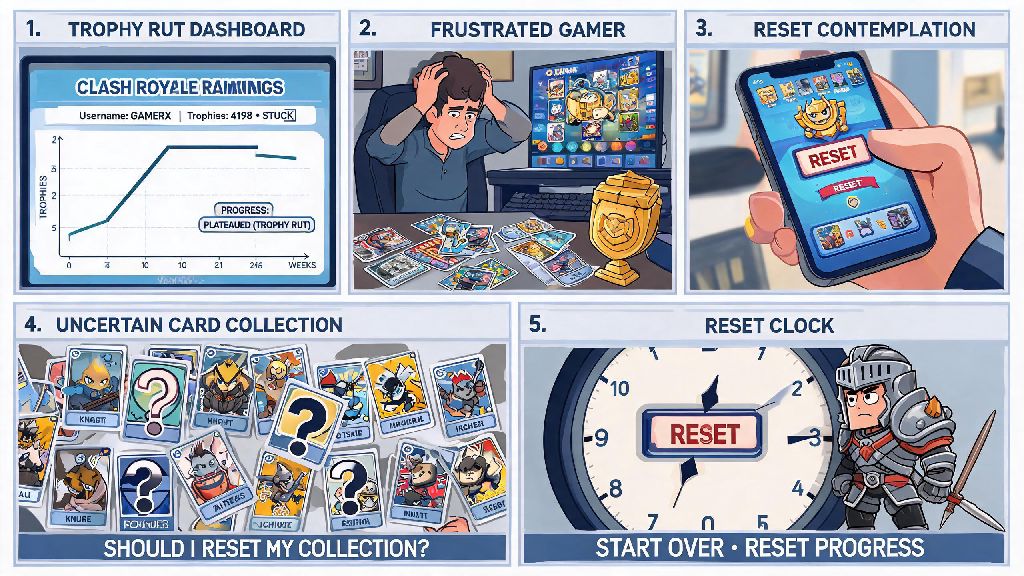
If you’ve spent months climbing Clash Royale ranks only to get stuck in a trophy rut, or you made early card upgrade choices that left your deck uncompetitive against meta builds, you’re not alone. Thousands of players look for how to reset a Clash Royale account every month to start fresh without switching to an entirely new gaming platform profile. Before you hit any delete buttons, though, it’s critical to understand what a reset actually does, what risks you might face, and how to do it without losing access to paid content you already own. This guide walks you through every step, including workarounds for players who don’t want to lose their original account progress entirely.
First: Should You Actually Reset Your Clash Royale Account?
A lot of players jump to a reset before weighing all their options, and that can lead to regret later, especially if you’ve spent money on skins, passes, or gems over time. A reset isn’t the only way to fix a bad run of matches or misaligned upgrades, but it is the right choice for some players. You will lose all unlinked progress permanently if you don’t back up your account first, so take time to assess your situation before making a call.
So when is a reset worth the effort? These are the most common scenarios where players see the best results from starting over:
If you have rare event cards, a high clan rank, or hundreds of dollars in purchases, you’re almost always better off creating a secondary “smurf” account instead of resetting your main profile. That way you can switch between accounts whenever you want, without giving up progress you’ve worked hard to earn. I’ve seen players lose 3+ years of rare items because they rushed a reset without thinking through the tradeoffs, and it’s a mistake you can easily avoid with 10 minutes of planning.
How to Reset a Clash Royale Account Without Getting Banned
Supercell doesn’t have a one-click reset button for existing accounts, but the process is still straightforward if you follow official steps. First, confirm whether you want to keep your original account or delete it entirely. If you want to keep your main profile, you don’t need to delete anything—you just need to create a new, separate profile.
Never reset an account that has active in-game purchases unless you’ve confirmed your purchase history is linked to a Supercell ID. Purchase history tied to a Supercell ID will stay connected to that ID even if you start a new account, so you can restore purchases if you ever log back into your original profile. For users who want to start a new secondary account, follow these steps: For Android, log out of your existing Supercell ID in the game settings, then go to your phone’s app settings, find Clash Royale, and clear all cached data. When you reopen the game, you’ll be prompted to create a new profile. For iOS, log out of your Supercell ID and your linked Game Center account, uninstall Clash Royale, restart your device, then reinstall the game to start a new profile.
If you want to permanently delete your original account entirely, you’ll need to submit a deletion request to Supercell support through the in-game help center. You’ll need to verify your ownership of the account, usually by confirming your registered email address and recent purchase receipts. The process takes 3 to 7 business days to complete, and once the account is deleted, you can’t recover any of its data. Supercell’s terms of service prohibit using third-party software to modify or reset account data, and violations can lead to a permanent ban across all Supercell games, so stick to official steps only.
Common Mistakes to Avoid During the Reset Process
Even simple resets can go wrong if you skip small safety checks, and most mistakes are permanent. The most common error players make is forgetting to log out of their linked Supercell ID or Game Center account before starting a new profile. If you stay logged in, your new progress will overwrite your old account data, and you won’t be able to get your original profile back. Always double-check you are logged out of all linked accounts before you start a new Clash Royale profile.
Another common mistake is creating multiple new accounts to “farm” initial legendary card drops. Supercell’s anti-fraud system detects accounts created in quick succession on the same device, and it will ban all linked accounts if it suspects you’re creating profiles to exploit drop rates. You also won’t be able to recover a banned account by resetting it, so don’t waste your time trying that approach.
Many players also assume that resetting their account will erase negative account flags, like warnings for toxic chat or inappropriate clan names. That’s not the case—flags are tied to your device ID and linked accounts, so they will carry over to new profiles you create on the same device unless you contact support to resolve the original issue first.
What to Do After You Reset Your Clash Royale Account
Once your new profile is set up, take a few quick steps to avoid losing progress and get a head start on your new run. Link your new account to a unique Supercell ID within the first 24 hours to avoid losing progress if you lose your device. You’ll need a separate email address for each Supercell ID, so make sure you use an email you have regular access to.
Next, map out your upgrade plan before you spend any gold. The biggest mistake new players make is upgrading every card they unlock, which leaves them short on gold for core meta cards later. Pick one low-cost meta deck that works well in lower trophy ranges, like Hog Rider cycle or Giant Archer, and focus all your upgrades on those cards first. Join an active low-level clan as soon as you unlock the feature too—clan donations will help you upgrade your core cards 2 to 3 times faster than playing alone.
If you kept your original account, you can switch between profiles any time by logging out of one Supercell ID and logging into the other. Most players who reset end up going back to their main account after a few weeks of playing their new profile, so don’t delete your old login information right away. You might find that the break from your main account’s rank pressure helps you improve your skills, and you can bring those new strategies back to your original profile later.
Figuring out how to reset a Clash Royale account doesn’t have to be a stressful process, as long as you follow the safety steps we’ve outlined above. Whether you’re looking for a fresh start to test new meta decks or you just want to relive the fun of lower-trophy matches without pressure, a reset can be a great way to fall in love with the game all over again. Just remember to back up your original account first if you want to keep access to it, and never use unapproved tools to modify your game data.