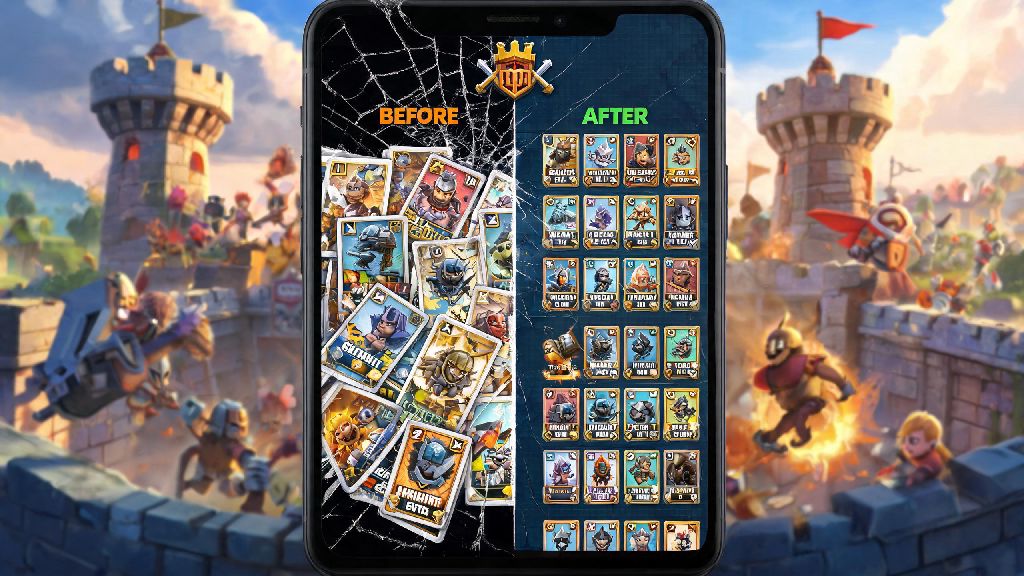
If you’ve ever wanted to test a wacky goblin barrel deck without tanking your main account’s trophy count, or play casual matches with friends who are just starting out without smurfing too hard, you’ve probably wondered how to make another account in Clash Royale. Many players assume creating a second account is complicated or against the rules, but Supercell actually allows secondary accounts as long as you follow their terms of service, so you don’t have to worry about losing access to your main profile if you do it right. I’ve used my own secondary account for three years to test new meta decks and earn extra clan war rewards, and I’ve never run into issues with account bans or lost progress. This guide walks you through every approved method, plus common mistakes to avoid so you can get your second account up and running in less than 10 minutes.
Why Make Another Clash Royale Account?
Plenty of long-time players write off secondary accounts as something only content creators or hardcore sweats use, but there are practical benefits for casual players too. You don’t have to be pushing for top 100 global ranks to get value out of a second profile, and it takes far less time to set up than most people expect. Some of the most common reasons players make second accounts include:
- Test off-meta decks and new card combinations without risking your main account's trophy ranking or clan leaderboard position
- Play casual matches with new or low-tier friends without matching against players 10 levels higher than them
- Reset your progression to experience the early game again, especially after big card balance updates that change low-level play
- Participate in clan wars or special events for extra rewards you can send to your main account via friendly trades if you’re in the same clan
Supercell explicitly allows up to four secondary accounts per player, as long as you don’t sell or trade accounts, or use them to harass other players. That means you don’t have to sneak around or use sketchy workarounds to make a second account work for you.
How to Make Another Account in Clash Royale Without Extra Devices
You don’t need a second phone or tablet to run two Clash Royale accounts, no matter if you use Android or iOS. The safest and most flexible method for most players is using Supercell ID, which works across both operating systems and lets you switch between accounts in two taps once set up. When you learn how to make another account in Clash Royale using Supercell ID, you don’t have to worry about losing access if you switch between Android and iOS devices down the line.
To make a second account with Supercell ID, open Clash Royale on your main device, tap the three horizontal lines in the top right corner, then select Settings. Tap the “Connected” button next to the Supercell ID option, then select “Log Out” from the menu that pops up. The game will restart, and you’ll see the welcome screen. Select “Play Without Supercell ID” to start a brand new account, play through the first two tutorial matches, then go back to Settings to link the new account to a separate email address. Use a unique, active email address for each Supercell ID you create so you can easily recover access if you ever get logged out.
If you prefer not to use Supercell ID, you can also use separate platform accounts: for Android, use a second Google Play account, and for iOS, use a second Apple ID. You’ll just need to sign out of your main platform account in your device settings, open Clash Royale, and start a new account linked to the secondary ID. Switching between accounts will require signing out and back in to your platform accounts, which takes a bit longer than using Supercell ID, but works just as well if you only switch accounts once or twice a week.
Best Practices for Your New Secondary Account
Once you have your secondary account set up, there are a few small steps you can take to get the most value out of it without running into issues. First, don’t feel pressured to rush through the trophy ladder. The biggest perk of a secondary account is that there are no stakes, so you can mess around with silly decks, throw matches on purpose to test defensive plays, or grind low-level challenges without stress. Once you know how to make another account in Clash Royale, you can even create a third if you want to specialize in tournament play, but stick to 2 at first to avoid spreading your focus too thin.
If you want to earn extra rewards for both your main and secondary account, you can look for community events and mini-games that give out free gems or gold for Clash Royale players. Many casual players who are waiting for their chests to unlock on both accounts like to play quick, low-stakes games to pass the time, and a popular option for that is Spin Winner, which fits neatly into the 15 minute gap between silver chest unlocks without pulling your focus away from your account progression goals.
There are a few hard rules you should follow to keep both your accounts safe. Never share your account login details with anyone else, even if they offer to level up your account for free, because that’s the most common way players lose access to their profiles. Link your new account to Supercell ID within the first 24 hours of creating it, so you don’t lose your progress if your device crashes or you accidentally clear the game data. Also, if you join the same clan as your main account, you can trade duplicate cards between your two accounts to level up your main's meta cards faster, which is a huge perk many players overlook.
Common Mistakes to Avoid With Secondary Clash Royale Accounts
Even though creating a secondary account is allowed, there are a few mistakes that can get your main or secondary account banned temporarily or permanently. The most common mistake new players make is using third-party mods or hacks to level up their secondary account faster. Supercell’s anti-cheat system can detect these mods even if you only use them on your secondary account, and it will flag all accounts linked to your device or IP address for potential bans. It’s not worth risking years of progress on your main account just to skip a few weeks of grinding on your alt.
Another common mistake is using your secondary account to troll other players or throw clan war matches. If enough players report your account for toxic behavior, Supercell will investigate, and may ban both your accounts if they find you’re violating their community guidelines. Don't try to sell or trade your secondary account, that’s a direct violation of Supercell’s terms of service, and will result in a permanent ban for all accounts linked to your device. You also shouldn’t download third-party apps that claim to give you free gems for your secondary account, most of them are malware or phishing scams that will steal your login details.
Finally, don’t make more than 4 accounts on the same device. Supercell’s system will flag accounts that are created in bulk on the same IP or device as potential bot accounts, and you may get a warning or temporary ban if you cross that threshold. Stick to 2 or 3 accounts max, and you won’t run into any issues.
Whether you want to test wild new decks, play with new friends, or earn extra clan war rewards, knowing how to make another account in Clash Royale opens up a ton of new ways to enjoy the game without risking the progress you’ve worked hard for on your main profile. As long as you follow the approved methods we outlined and stick to Supercell’s rules, you can have your second account set up and ready to play in just a few minutes. Don’t rush through the early levels—take your time to experiment and have fun with your new account, since there’s no pressure to climb the trophy ladder fast.