If you’ve jumped back into Clash Royale after the big 2026 spring update, you might have noticed the social menu got a full refresh that changed how you connect with other players. I spent 20 minutes fumbling through the new UI last week trying to figure out how to add friend in Clash Royale so I could play 2v2 matches with my cousin, who just downloaded the game for the first time. The new layout is way more intuitive once you know where to look, and this guide will walk you through every step, plus common fixes for issues you might run into along the way.
Step-by-Step Process to Add Friend in Clash Royale (2026 UI Update)
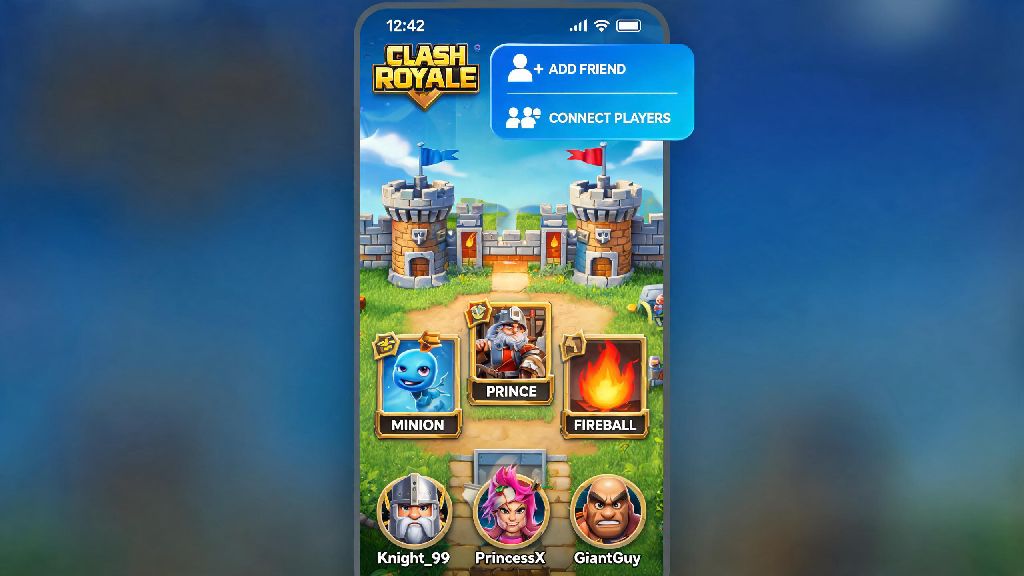
The 2026 update moved the social menu from the left side bar to the top right corner of your home screen, so it’s easier to access even when you’re mid-queue for a ladder match. To add a new friend, first tap the social icon (two overlapping player avatars) next to your gem and gold counts. From there, select the "Add Friend" tab at the top of the pop-up menu – you’ll see three options to send a request. You can paste or type in your friend’s unique player tag, scan their custom in-game QR code if you’re in the same room, or send a direct invite to someone you’re already in a clan with. Once you send the request, your friend will get a notification in their social tab, and they can accept or decline it in one tap. If you don’t get a response within 7 days, the request will automatically expire so you don’t have a bunch of pending requests cluttering up your menu.
Common 2026 Issues When Adding Clash Royale Friends (And Quick Fixes)
Even if you follow every step correctly, you might run into small glitches or settings that stop your friend request from going through. Most of these issues are tied to the new 2026 privacy and safety features Supercell added to cut down on spam requests, so they’re easy to fix once you know what to look for. Here are the most common problems players report right now:
If none of these fixes work, try closing and restarting your game – sometimes the 2026 update has small sync issues if you haven’t restarted your app in a few days. You can also check the official Clash Royale support page to see if there’s an ongoing server issue that’s stopping requests from sending.
Fun Things to Do With Your Clash Royale Friends in 2026
Once you’ve added your friends, there’s way more to do together than just regular 2v2 matches this year. Supercell added a ton of new social features in the 2026 update that make playing with people you know way more rewarding than random matchmaking. My favorite new feature is the 2026 Co-op Crown Rush challenge, where you and a friend team up to win 10 matches in a row to earn exclusive emotes and magic items that you can’t get from regular ladder play. You can also create a custom friendly tournament with custom rule sets – I set up a tournament for my college gaming club last month where we only allowed common cards, and it was one of the most fun Clash Royale events I’ve ever joined. If you’re trying to climb the ladder, you can also share card decks with one click directly from your friend’s profile, so you don’t have to type out every card one by one to copy their meta build. You can even set up private 1v1 matches to practice new decks without risking your ladder rank, which is perfect if you’re testing out off-meta builds for the next seasonal challenge.
Privacy Tips for Adding Friends in Clash Royale 2026
While adding friends makes the game way more fun, it’s important to keep your account and personal information safe when you’re connecting with new people. Supercell added a bunch of new safety tools in 2026 to make it easier to control who can contact you, so you don’t have to deal with spam or toxic messages. First, never share your real name, location, or account password with anyone you add as a friend – Supercell will never ask for your password through in-game messages, so any account asking for that is a scam. If you don’t want random players sending you requests, you can set your privacy settings to only accept friend requests from clan members, which cuts down on almost all spam. You can also turn on the "hide player tag from public profile" option if you stream or post your gameplay online, so viewers can’t send you unwanted requests. If you get a spam request with a link to a fake "free gems" site, you can report it directly to Supercell through the new 2026 report button on the request itself, and the account will be banned within 24 hours in most cases.
Adding friends to your Clash Royale friends list makes every part of the game more fun, from casual 2v2 matches to competitive clan tournaments, and the 2026 UI update makes the process faster than ever once you know where to look. If you’re still confused about how to add friend in Clash Royale, drop a comment below and I’ll help you troubleshoot your specific issue. Don’t forget to test out the new co-op challenges with your friends this year – the exclusive emotes are worth the grind, and it’s way easier to win when you’re playing with someone you know instead of a random teammate.