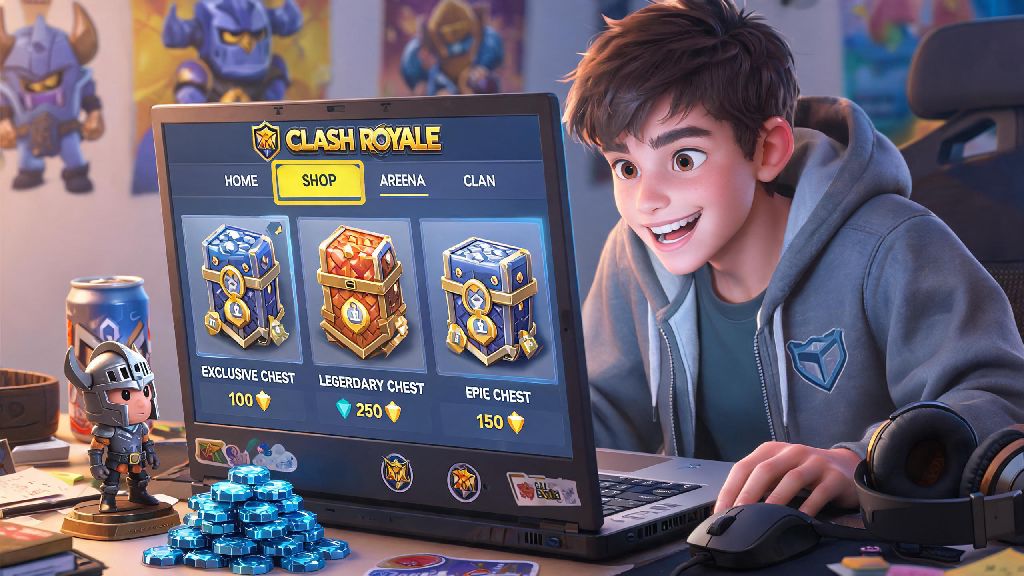
If you’ve ever stared at your Clash Royale profile and cringed at the silly username you picked when you first downloaded the game as a bored teen, you’ve probably asked: can i change my name on Clash Royale? I’ve been there too – I picked a username referencing a viral Vine that died out in 2017, and I got sick of clan mates and random opponents roasting me for it mid-2v2 battles. This guide breaks down exactly what you need to know before you submit a name change request, from eligibility rules to hidden catches most players miss. We’ll also cover what to do if your first name change request gets rejected, so you don’t waste time or gems on a failed attempt.
Can I Change My Name on Clash Royale? Eligibility Rules First
The short answer is yes, but you have to meet a few basic requirements before you can swap out your old username for something new. You must be at least account level 5 to unlock the name change feature, so if you’re a brand new player still learning how to play Goblin Barrel, you’ll have to grind a few matches first to reach that threshold. You’ll also need to have your account linked to a Supercell ID, which is free to set up if you haven’t done it already.
First-time name changes are 100% free for all eligible players, but you’ll have to pay gems for any subsequent changes. The cost starts at 500 gems for your second name change, goes up to 1000 for your third, and caps out at 10,000 gems for any changes after that. You also have to wait at least 7 days between name change requests, so you can’t swap your username every other day for fun.
All name requests have to follow Supercell’s community guidelines, too. You can’t use hate speech, discriminatory terms, impersonate content creators or Supercell staff, or add special characters or emojis that break the game’s UI. If you submit a name that violates these rules, it will be rejected immediately. You will not get a gem refund if your paid name change request is rejected for violating guidelines, so read the rules carefully before you submit.
Step-by-Step Instructions to Change Your Clash Royale Name
Once you meet all the eligibility requirements, changing your name only takes a few minutes if you follow these steps. First, open Clash Royale and tap the three horizontal lines in the top right corner of your main screen. Select “Settings” from the drop down menu, then look for the “Change Name” button under the Account section, right next to your current displayed username.
Tap that button, and you’ll be prompted to enter your new desired name twice to confirm spelling. If this is your first name change, you won’t see any gem cost listed, so you don’t have to worry about spending currency to answer the question of can i change my name on Clash Royale. For repeat changes, the required gem cost will be displayed clearly before you submit, so you can decide if it’s worth the spend.
Before you hit the final submit button, double check these details to avoid rejection:
- Your new name has no special characters, emojis, or excessive spaces (only letters, numbers, and single spaces between words are allowed)
- You haven’t used any offensive, discriminatory, or impersonating terms that violate Supercell’s community guidelines
- You have enough gems to cover the cost if this is not your first name change
- You’re 100% happy with the spelling, as you can’t reverse a successful name change for free
After you submit, first-time requests are usually approved instantly if they meet the guidelines. Repeat name changes may go through a manual review that takes up to 24 hours to complete. Double check the spelling of your new name before hitting submit, as typos are not considered a valid reason for a free re-do. I learned this the hard way when I accidentally misspelled my desired name on my first change attempt, and I had to wait 7 days and pay 500 gems to fix it.
Common Clash Royale Name Change Mistakes to Avoid
A lot of new players don’t look up the rules first when they’re wondering can i change my name on Clash Royale, so they end up submitting names that get rejected right away. One of the most common mistakes is trying to use fancy custom fonts or emojis in your username. These characters break the game’s leaderboard and chat formatting, so they’re automatically flagged and rejected by the system.
Another frequent mistake is trying to impersonate popular Clash Royale content creators or Supercell staff. I’ve seen clan mates try to change their name to “OrangeJuice” or “Supercell_Drew” to troll other players, and every single one of those requests got rejected instantly. Repeatedly submitting invalid name change requests can lead to restrictions on your account, including temporary loss of chat or leaderboard access, so it’s not worth the joke.
Don’t waste your gems on a name change if you’re planning to reset your account or switch to a new main account in the near future. 500 gems is enough to buy a Golden Chest or a cool tower skin, so you’re better off saving that currency for something that will actually improve your gameplay experience if you’re not planning to keep your current account long term. You should also avoid submitting a name change request if you have an active report against your account for toxic behavior, as your request will be put on hold until the report is resolved.
What to Do If Your Clash Royale Name Change Request Gets Rejected
If your request gets rejected, don’t panic – it’s a super common issue, and it’s usually easy to fix. First, check the email linked to your Supercell ID, as Supercell will send you a short note explaining why your request was turned down. Most of the time, it’s either because the name you picked is already taken by another player, or it violates the community guidelines in some way you didn’t notice.
If the name is already taken, just tweak it a little to make it unique. You can add a small, appropriate number at the end, or use a slight spelling variation that still matches the vibe you’re going for. If it was rejected for violating guidelines, read through the community rules again to spot what term you used that was flagged, and pick a new name that avoids any potentially offensive or inappropriate language.
If you think your request was rejected by mistake, you can submit a support ticket through the in-game help center to ask for a manual review. If your request was rejected for a reason you don't understand, you can reach out to Supercell support for clarification, but avoid spamming tickets as that will slow down the process. Most support requests take 2 to 3 business days to get a response, so be patient while you wait. If your paid request was rejected, your gems will be automatically returned to your account within 24 hours, so you don’t have to worry about losing currency.
At the end of the day, asking can i change my name on Clash Royale is a pretty common question, and the answer is almost always yes, as long as you follow the rules and meet the eligibility requirements. Don't rush the process, take time to pick a name you'll be happy with for months to come, and double check it against the community guidelines before you hit submit. There's no shame in ditching a cringey old username for something that fits who you are now – I changed mine last year and haven't regretted it once. Happy battling!